Verified Dataset Import
Roger He
2026-09-29
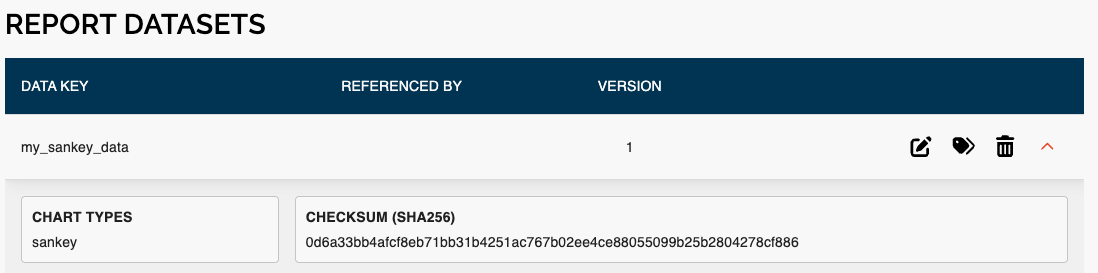
verified_dataset_import.RmdBefore importing datasets into a report, it is useful to verify whether the data you have locally already matches what is on the platform. This avoids unnecessary re-imports and helps detect when data has changed. The functions described in this article provide a checksum-based workflow to compare local datasets against those already imported into a report, then the platform will only import what has changed.
Dataset format
All functions in this workflow accept datasets in the same list-of-lists format:
datasets <- list(
  list(
    data           = my_dataframe,        # R dataframe
    data_set_key   = "my_table_data",     # unique key used on the platform
    chart_types    = list("table"),       # determines CSV vs JSON serialization
    subgroups      = list("sex", "age"),  # optional: subgroup column names
    data_set_label = "My Table Data"      # optional: display label on the platform
  ),
  list(
    data           = my_nested_list,      # nested list for JSON-based chart types
    data_set_key   = "my_sankey_data",
    chart_types    = list("sankey"),
    subgroups      = list("priori_mi", "age_cat"),
    data_set_label = "My Sankey Data"
  )
)
chart_types controls how the data is serialized when
computing checksums and during import: "sankey" and
"sunburst" are written as JSON; all other chart types are
written as CSV.
Step 1: Compare checksums
compare_dataset_checksums() computes SHA-256 checksums
for your local datasets, fetches the checksums already stored on the
platform, and compares them key by key.
match_result <- nswpr::compare_dataset_checksums(
  report_id    = "p0000",
  datasets     = datasets,
  version_type = "draft"   # optional: "draft", "published", or omitted for latest
)
The result is a named list — one entry per dataset key — each containing:
-
local— SHA-256 checksum of your local data -
platform— SHA-256 checksum stored on the platform (NAif the dataset is not yet on the platform) -
match—TRUEif the checksums are identical
Choosing a version_type
The version_type parameter controls which version of the
report’s datasets is used for comparison on the platform:
-
"draft"— compares against the latest draft version. Use this when you are actively updating data and want to verify what is currently staged for the next publish. -
"published"— compares against the latest published version. Use this to check what end users are currently seeing. -
NA(default) — compares against the overall latest version regardless of publish status, equivalent to"draft"in most cases.
# Compare against the published version
match_result <- nswpr::compare_dataset_checksums("p0000", datasets, version_type = "published")

# Compare against the draft version
match_result <- nswpr::compare_dataset_checksums("p0000", datasets, version_type = "draft")
Step 2: Inspect the comparison
checksum_comparison_table() formats the result as a data
frame for easy reading:
nswpr::checksum_comparison_table(match_result)Example output:
| dataset_key | local_checksum | platform_checksum | match |
|---|---|---|---|
| my_table_data | a3f1... |
a3f1... |
TRUE |
| my_sankey_data | b9c2... |
(not on platform) |
FALSE |
A match of FALSE means the local dataset
doesn’t match the one on the platform. A platform checksum of
(not on platform) means it has never been imported before
(identified by the dataset_key).
Step 3: Import
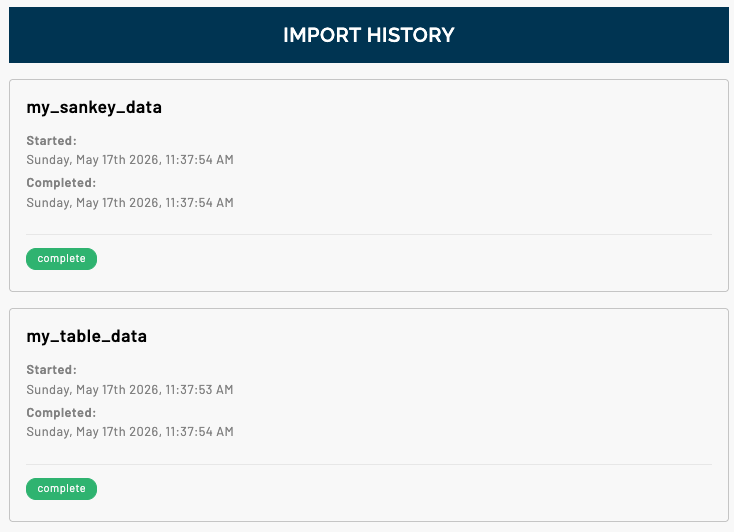
import_datasets() submits all data specified in
datasets to the platform, which skips unnecessary imports
automatically. Pass the match_result from the previous step
— this avoids recomputing checksums and is recommended. If
match_result is omitted it runs the comparison
internally.
nswpr::import_datasets(
  report_id    = "p0000",
  datasets     = datasets,
  match_result = match_result
)
Full example
datasets <- list(
  list(
    data           = my_dataframe,
    data_set_key   = "my_table_data",
    chart_types    = list("table"),
    subgroups      = list("sex", "age"),
    data_set_label = "My Table Data"
  ),
  list(
    data           = my_nested_list,
    data_set_key   = "my_sankey_data",
    chart_types    = list("sankey"),
    subgroups      = list("priori_mi", "age_cat"),
    data_set_label = "My Sankey Data"
  )
)

match_result <- nswpr::compare_dataset_checksums("p0000", datasets)

nswpr::checksum_comparison_table(match_result)

nswpr::import_datasets("p0000", datasets, match_result)